


Five years ago, our team received a legal notice from a prominent IP law firm representing DC Comics.
Table of Contents
The notice demanded that we stop using the logo for Superlawyer, as it allegedly created confusion with the Superman logo.
If we failed to comply, a lawsuit would follow.
This is a common tactic known as a “scare and destroy” strategy. Many businesses, especially startups, receive such legal notices frequently.

How to Draft a Response to a Legal Notice
When dealing with a legal notice like this, the process of drafting a response can seem daunting. Typically, it involves several steps:
- Research
- Finding or creating a template
- Drafting, reviewing, and redrafting the response
For someone familiar with IP law, this can take around 3 hours. Even experienced lawyers might delegate this task to a junior associate, only to find themselves frustrated with the outcome or the tight deadlines.
However, thanks to AI tools like ChatGPT, you can now draft a response in minutes, saving valuable time and effort.
Our Approach: Efficient Response with AI
Here’s what we did to handle this legal notice effectively:
Step 1: Provide the Key Facts
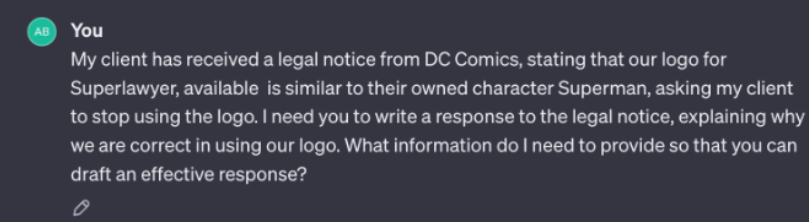
I began by summarizing the facts of the case and explaining the expectations. I also asked ChatGPT about any additional information it needed to respond effectively to the notice.
Step 2: Key Questions from ChatGPT
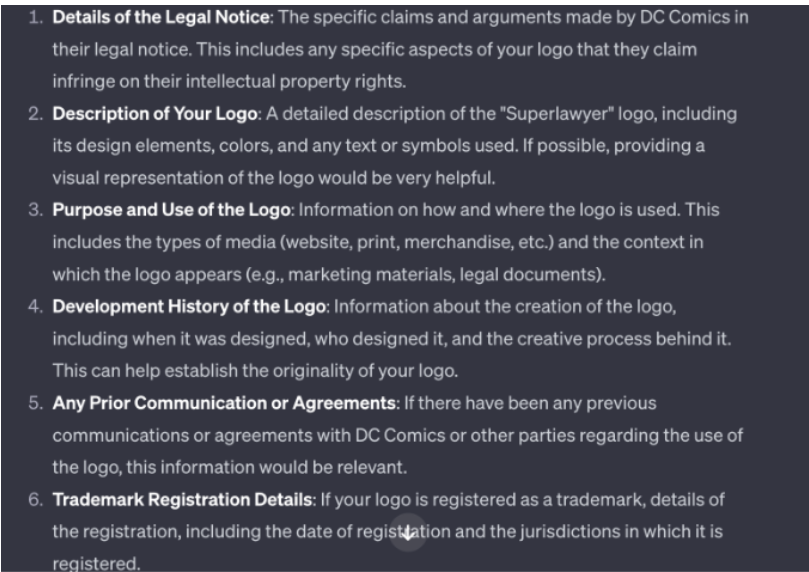
ChatGPT asked several relevant questions to ensure the response was thorough and well-constructed. Some of these were questions I might not have thought of myself, or which would have required an expert checklist to address.
Step 3: Clarify My Position
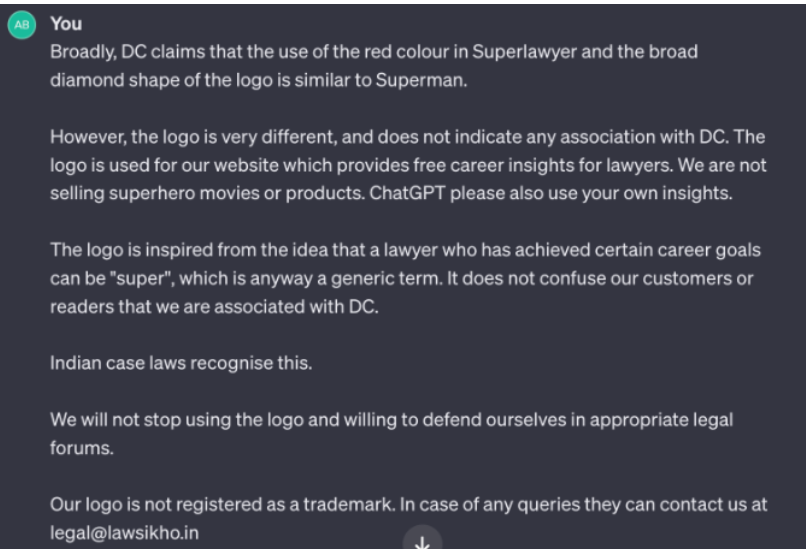
Next, I provided my answers to ChatGPT, outlining my stance on the matter. This included a defense of our logo’s originality and a rejection of the claim that it resembled the Superman logo.
Step 4: Refining the Response
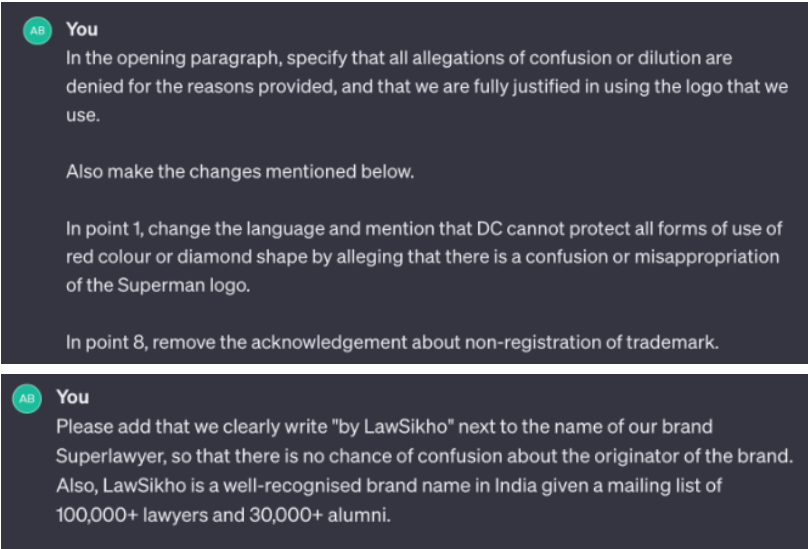
The initial drafts were helpful but needed refinement. For example:
- Refinement of Claims: I wanted ChatGPT to emphasize early in the response that the Superman logo’s design could not monopolize common elements like the red color and diamond shape.
- Tone Adjustments: I also wanted a more professional tone, rejecting claims based on non-registration without affecting the validity of our defense.

Step 5: A Useable Draft
After several iterations, I received a response that was ready to be sent. The final version addressed the issues effectively and concisely, touching on the key points in the appropriate tone.
Step 6: This time, I got a usable response, which I can deploy with some edits.
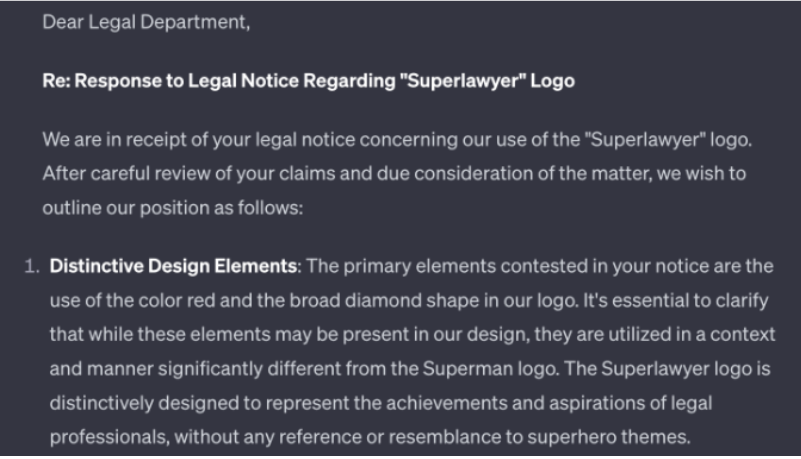
Here are the first few paragraphs:
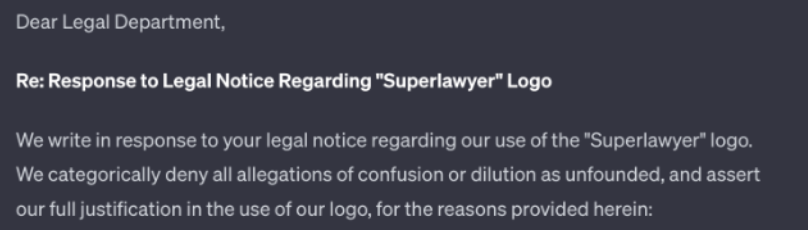
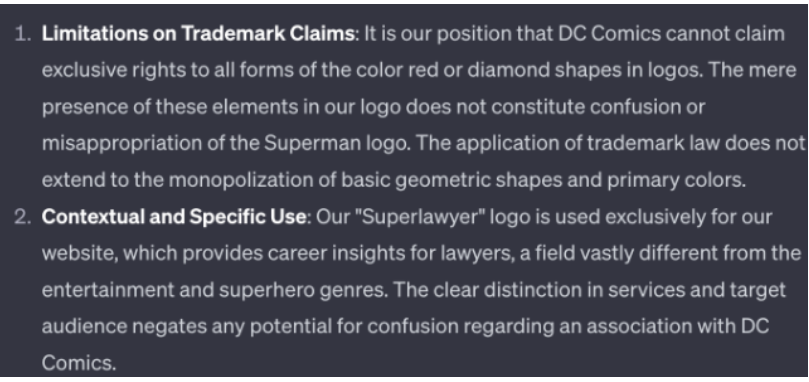
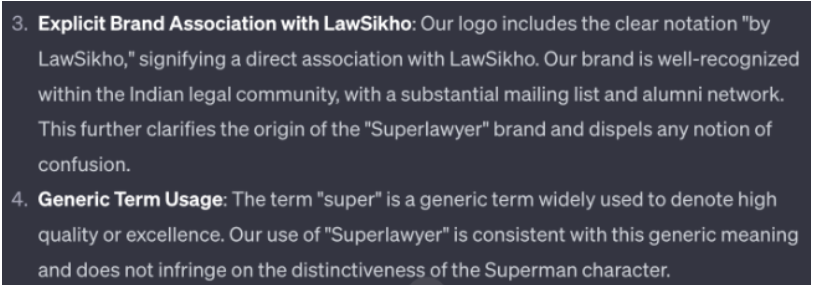
There are a few other paragraphs as well, but it is sharp and pointed, touching the right notes now.
I will replace the word “Legal Department” with the sender’s name and send it out with minimal to no editing.
Here’s the complete chat transcript.
Benefits of Using AI for Legal Drafting
With AI, you can streamline the entire legal drafting process. Here’s how it helps:
- Faster Turnaround: What would typically take hours can now be done in minutes.
- Consistent Quality: AI ensures that the tone, structure, and content are aligned with legal standards.
- Eliminate Redundancy: AI can also assist in drafting repetitive documents, like statements of claims or affidavits.
- Customized to Your Style: You can train AI to follow your specific writing style, ensuring that responses are always aligned with your preferences.
Expanding Beyond Legal Notices
The potential of AI doesn’t stop at legal notices. Here are other ways you can leverage AI in the legal field:
- Drafting Statements of Claims: AI can help you create claim statements based on your input, reducing the time spent on initial drafts.
- Affidavits and Legal Declarations: For affidavits in examination or other legal declarations, AI can provide ready-to-use templates.
By using AI tools like ChatGPT, you can reduce repetitive tasks and focus on more strategic aspects of your legal practice.
Final Thoughts
- By utilizing AI to handle legal notices and documents,
- you can save hours of manual work, refine your responses, and even enhance your professional output.
- The world of AI-powered legal drafting is growing, and it offers immense potential for law firms to improve efficiency.
Conclusion
Leveraging AI tools like ChatGPT for drafting legal responses not only saves valuable time but also ensures consistency, accuracy, and a professional tone in handling legal notices. By streamlining repetitive tasks, such as responding to IP claims or drafting legal declarations, legal professionals can focus more on strategic work, enhancing overall efficiency and productivity. Embracing AI in the legal field offers immense potential for improving workflows, reducing manual efforts, and achieving optimal results faster, making it an invaluable resource for modern legal practice.





 Allow notifications
